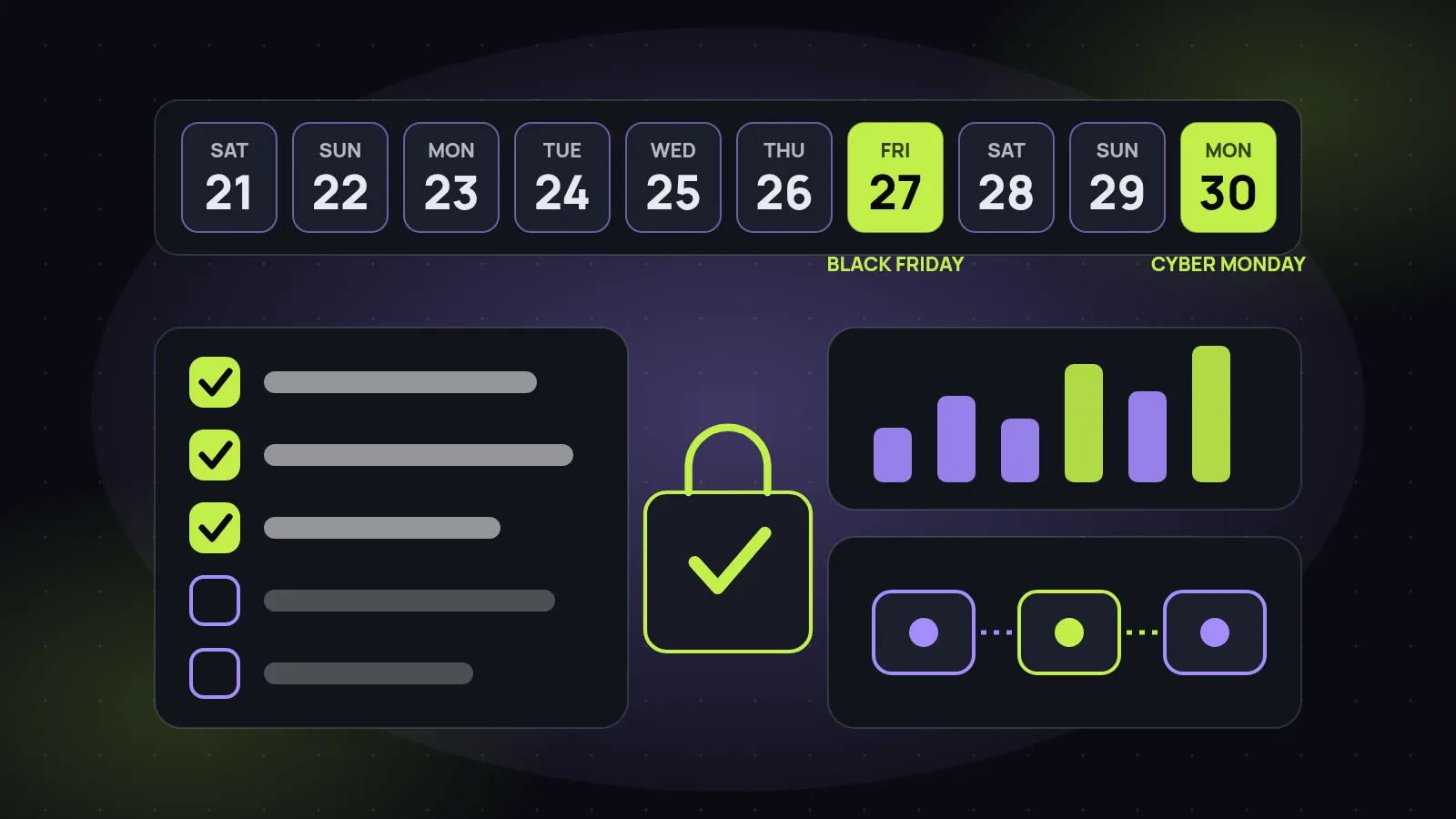
Black Friday is Friday 27 November 2026 and Cyber Monday is Monday 30 November. If your Shopify store is not fully ready yet, you still have enough time to launch safely, as long as you stop adding things and start checking things. Most BFCM problems are not strategy problems. They are a discount that does not stack the way someone expected, a product that sold out but still shows in the ad, a checkout that fails on one payment method, or a support inbox that nobody planned for.
This checklist is written for ecommerce founders, heads of growth and marketing leads who want a clear plan for the last week. It goes in the order we would work: a day-by-day timeline, then theme and speed, inventory and automation, checkout, offers, email and SMS, paid ads, tracking, customer service and what to do after Cyber Monday. The Shopify details come from the Shopify Help Center pages we checked on 21 November 2026, linked at the end. Where we do not have a verified fact, we do not use a number.
Check your own store. Shopify features differ by plan and by store setup, so confirm each setting in your own admin. This guide is a planning aid, not a promise of results.
The launch-week timeline: Saturday 21 to Cyber Monday
Work backwards from the two dates that matter. The goal of the first half of the week is to decide and test. The goal of the second half is to run and watch. Nothing new that touches checkout, pricing or the theme should go live after the Thursday checks.
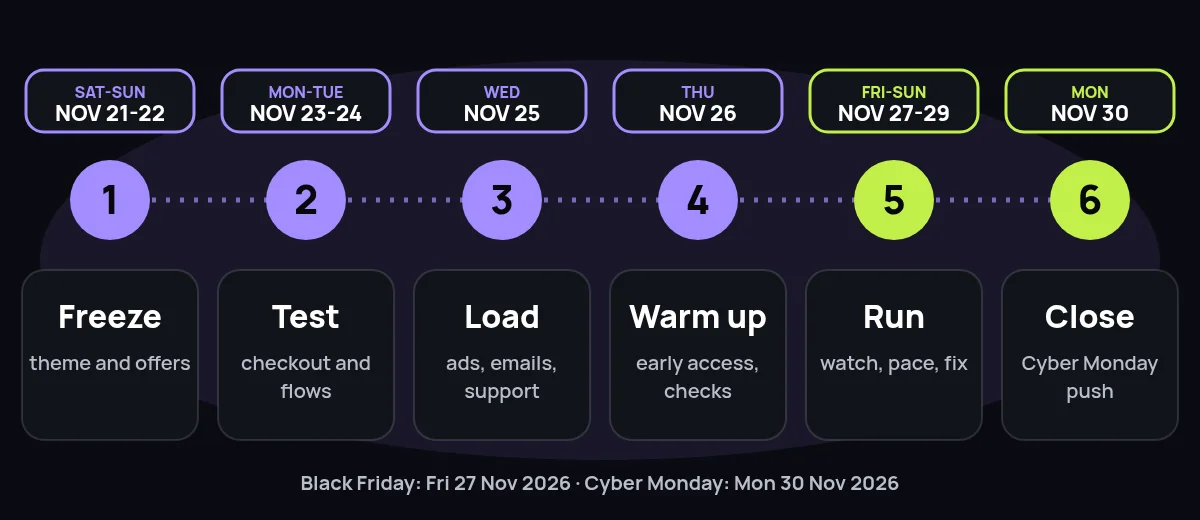
| When | Focus | Done when |
|---|---|---|
| Sat 21 to Sun 22 Nov | Freeze the theme, the offers and the product list | Offers, prices, banners and collection pages are final. A backup copy of the theme is saved. |
| Mon 23 to Tue 24 Nov | Test checkout, flows and discounts | A full test order works on a phone with every payment method and every discount. Flow, email and SMS automations are switched on. |
| Wed 25 Nov | Load ads, emails and support answers | Creative is approved and scheduled, emails and SMS are queued, and the support team and chatbot have the final shipping, returns and discount answers. |
| Thu 26 Nov | Warm up the list and run final checks | Early-access message sent, stock counts checked again, site speed checked on mobile, and everyone knows who is on call. |
| Fri 27 to Sun 29 Nov | Run Black Friday and the weekend | Orders, checkout errors, ad spend and stock are checked at fixed times. Only urgent fixes go live. |
| Mon 30 Nov | Close with Cyber Monday | Last-chance message sent, best sellers pushed while they are in stock, then a clean wrap-up of orders and reports. |
If you already have some of this in place, skip ahead to the weak spot. If you have a team of one, pick the three items that can cost you the most money if they fail: checkout, stock accuracy and the offer rules. Those come first in every section below.
Theme and speed freeze
A freeze is a date after which nothing changes in the theme except a bug that is costing orders. Pick it now. Every late tweak to a banner, app or section is a chance to break the cart or slow the page on the one weekend when you cannot afford it.
- Save a known-good copy. Shopify's Help Center says you can make a backup copy of a theme before you customize it (managing themes). Duplicate the theme that passed your tests and name it with the date.
- Remove what you do not need. Cut apps, pop-ups and tracking scripts you added for earlier campaigns. Each one is one more thing that can slow the page or fail on mobile.
- Check speed on a phone. Google's Core Web Vitals targets are an LCP within 2.5 seconds, an INP of 200 milliseconds or less and a CLS of 0.1 or less, measured at the 75th percentile of page loads (web.dev). Check your home page, a collection, a product page and the cart.
- Compress the banners. Your Black Friday hero image should be a properly sized image, not a full-size file straight from a designer. Test it on a mid-range phone on mobile data.
- Pre-load the pages. Build the sale collection, the gift guide and any landing pages now, hidden or scheduled, so launch day is a switch and not a build.
If your store has been slow for months, BFCM week is not the moment for a rebuild. Fix the biggest offenders (images, apps, third-party scripts) and plan the bigger work for January. Our Shopify CRO checklist and Shopify CRO service cover the deeper fixes.
Inventory accuracy and Shopify Flow automation
Overselling is the quiet BFCM killer. A bestseller that shows as in stock when it is not creates cancellations, refunds, support tickets and angry reviews. Reconcile your stock counts across Shopify, your warehouse or 3PL and any other channel before the freeze, and again on Thursday.
Shopify Flow is a free app on the Basic, Grow, Advanced and Plus plans (Shopify Help Center). It lets you build workflows from triggers, conditions and actions, and it is the cheapest way to add a safety net to a sale week. Workflows worth switching on, based on our Shopify Flow guide:
- Low stock alert. When inventory quantity changes and drops below your reorder point, send an internal email to whoever buys stock.
- Hide sold-out products. When a variant goes out of stock and all variants are out, unpublish the product, and bring it back automatically when stock returns.
- Hold high-risk orders. When an order is analyzed as high risk, hold the fulfillment order and tag it so a person reviews it before it ships. Shopify's order help also points to fraud analysis and Flow for handling potentially fraudulent orders (managing orders).
- Workflow error alert. If a workflow fails, email the owner. A silent failure on Friday afternoon is the worst kind.
Test every workflow with a real or test order before the sale. Flow workflows that fire at the wrong time are easier to fix on Tuesday than on Friday.
Checkout and payments
Checkout is where your ad spend either becomes revenue or disappears. Run the full path yourself on a phone: from the ad or email link, to the product, to the cart, through checkout, to the confirmation email.
- Test each payment method you accept, including wallets and any buy-now-pay-later option, with a small real order or Shopify's test mode where it is available.
- Test the sale price and the discount end to end. The price in the ad, on the product page, in the cart and at checkout should all match.
- Check shipping rates and cut-off dates. Say clearly when orders must be placed to arrive before the holidays, and make sure the checkout rates match what the banner promises.
- Confirm your return and refund wording. Shopify's order help describes return rules and self-serve returns that let customers request a return from their order status page (managing orders). Decide your holiday return window now and state it in plain words.
- Look at abandoned checkouts daily. Shopify lists them under Orders, and the timeline shows payment events, which helps you spot a failing payment method (recovering abandoned checkouts).
Offers and discount stacking
A good BFCM offer is simple enough to explain in one line and safe enough that it cannot be abused. Most mistakes happen when a code, an automatic discount and a free shipping rule meet in the same cart.
Shopify's Help Center explains how discounts combine (Combining discounts). Each discount has a class: product discounts, order discounts or shipping discounts. When you let a discount combine, you choose which classes it can combine with. If a customer enters codes that cannot be combined, Shopify shows the message “Discount couldn’t be used with your existing discounts.” Product discounts with order discounts, and order discounts with other order discounts, are available only to eligible merchants, and combining several product discounts on the same line item needs the Shopify Plus plan. Shopify also says discounts are applied to the order subtotal before tax.
- Write the offer rules in one table: what is discounted, what is excluded, whether it stacks with other codes, and the start and end time.
- Test the stack. Put the cart through every combination a customer might try: sale item plus code, code plus free shipping, gift card plus code.
- Schedule it. Shopify says a rollout can schedule when a discount is activated or deactivated, and can test a discount against the ones you already offer (Discounts). Use it so nobody has to be awake at midnight.
- Protect margin on the best sellers. Decide in advance which products are excluded or capped, and check that the exclusions work in the cart.
- Keep your email and ad copy identical to the offer. One different number in a banner or an SMS creates more support tickets than any discount.
Email and SMS flows
Email and SMS reach people who already know your brand, and you do not pay for each click. The week before BFCM is when you warm the list, and the sale itself is when your automated flows do the quiet work.
- Send an early-access or teaser message to your list and your best customers before the public launch.
- Segment before you send. New subscribers, past buyers and lapsed customers should not get the same message. Exclude people who just bought.
- Check the abandoned checkout flow. Shopify describes automatic abandoned checkout emails in the Shopify Messaging app, where you choose who gets them and how long after the checkout is abandoned they send (recovering abandoned checkouts). Make sure the email shows the right branding and offer.
- Plan the Cyber Monday last-chance message and a Tuesday wrap-up message now, and queue them.
- Respect consent and frequency. Only message people who have agreed to receive your email or SMS, include the unsubscribe options the law requires and avoid sending more than your list will tolerate.
For setup help, see our email and SMS marketing service and the e-commerce marketing hub.
Paid ads: budget pacing and creative
BFCM ad costs are not something you can control, so control what you can: the pacing, the creative and the landing pages.
- Set a daily cap for each day of Black Friday to Cyber Monday and keep a reserve. Do not spend most of the budget on Friday morning and then have nothing left for Monday.
- Check at fixed times (for example morning, midday and evening) rather than all day. Constant edits make results harder to read.
- Send traffic to pages that are in stock. Point ads at collections or products with healthy inventory, and pause ads for anything that sells out. Your Flow low stock alert helps here.
- Build retargeting audiences before the weekend from site visitors, product viewers and email subscribers, so you have somewhere to send people who did not buy on the first visit.
- Have more than one version of each ad. Plan different hooks and formats, because the creative that works on Thursday may be tired by Sunday.
- Match the ad to the landing page. The offer, the product and the tone should be the same. A mismatch is a quick way to lose a click.
Creative is where many stores run out of time. Short video made with real product footage, customer-style UGC video and AI video ads can often be produced with less lead time than a studio shoot, and several versions can be tested against each other. All creative should follow the ad platform's own policies and be clear about what is paid or sponsored. See our UGC video service and AI video ads page for how we work, and the paid ads service for the wider picture.
Tracking and analytics
If you cannot trust your numbers on Friday, you will make bad decisions on Saturday. Spend an hour on tracking before the sale starts.
- Place a test order and confirm that the purchase event fires once, with the right value, in each analytics and ad platform you use.
- Use consistent campaign tags. Name your UTM parameters in a simple pattern and write it down so email, SMS and ads can be separated afterwards.
- Compare platforms to Shopify. Ad platforms and Shopify will not report exactly the same revenue. Use Shopify orders as the base number and treat platform numbers as directional.
- Build one simple dashboard with orders, revenue, conversion rate, average order value, ad spend and returns, and decide who looks at it and when.
- Keep a launch log. A shared note with the time of every change (offer, budget, creative, fix) makes the post-sale review honest.
Customer service and AI chatbot
Support volume rises when you run a big sale. The questions are mostly the same: where is my order, can I change my address, how does the discount work, what is your return policy.
- Write the answers down in one place: shipping times and cut-offs, discount rules, returns, and how to reach a human.
- Prepare saved replies for the 10 most likely questions and keep them in the helpdesk or inbox your team uses.
- Add an AI chatbot for the repeat questions only if it answers from approved information, says when it does not know and hands over to a person. Our AI chatbot development and AI agent development cover how that is built and tested.
- Decide who is on call for the weekend, including who can pause an ad, change a discount or switch off a product.
- Put the shipping and returns promise on the site, in the cart and in the confirmation email, so fewer customers need to ask.
After Cyber Monday: retention starts on Tuesday
BFCM brings in many first-time buyers. What you do in the next few weeks decides whether they become repeat customers or one-time bargain hunters.
- Reconcile the numbers. Orders, refunds, returns, stock and ad spend, then write down what worked and what did not while it is fresh.
- Tag first-time buyers so you can build a separate welcome flow for them. Shopify Flow can add tags automatically on order.
- Send delivery updates and a thank-you, then ask for a review after the product has arrived.
- Plan the next offer for these customers: a replenishment reminder, a complementary product or an early-access message for your next launch.
- Review returns and complaints by product, so you can fix the listing or the product before the next peak.
For the retention side, see our loyalty and subscriptions service and the e-commerce marketing hub.
Sources
Shopify and Google pages we opened and read on 21 November 2026. Shopify plans, features and the pages themselves can change, so check the current version.
- Shopify Help Center: Combining discounts
- Shopify Help Center: Discounts (codes, automatic discounts, rollouts)
- Shopify Help Center: Recovering abandoned checkouts
- Shopify Help Center: Managing orders (fraud analysis, returns)
- Shopify Help Center: Managing themes
- Shopify Help Center: Shopify Flow
- web.dev: Web Vitals (Core Web Vitals thresholds)
Frequently asked questions
When should a Shopify store start preparing for Black Friday and Cyber Monday?
As early as you can, but if you are reading this in the last week, the order matters more than the date. Freeze the theme and the offers first, test the full checkout path next, then load your ads, emails and support answers. Everything that touches money or customer promises should be tested before you switch on spend.
What is the single most important thing to test before BFCM?
A full test order, from an ad or email link to the confirmation email, on a phone, with your real discount and each payment method you accept. Most launch-week problems are found at checkout, so it is better to find them before customers do.
Can customers stack discount codes on Shopify?
Only when you allow it. According to Shopify's Help Center, each discount belongs to a class (product, order or shipping) and you choose which classes it can combine with. If a customer enters codes that cannot be combined, Shopify shows the message “Discount couldn’t be used with your existing discounts.” Some combinations, such as order discounts with other order discounts, have eligibility requirements, so check Shopify's page before you plan the offer.
Should I change my theme during Black Friday week?
Avoid it. Make changes before your freeze date, and after that only fix real bugs. Shopify's Help Center says you can make a backup copy of a theme before you customize it, so keep a duplicate of the version that passed testing and you can go back to it if something breaks.
How should I split ad budget between Black Friday and Cyber Monday?
There is no formula that fits every store, and we will not invent one. A sensible approach is to set a daily cap for each day, keep part of the budget back for Cyber Monday, check results at fixed times, and move spend toward the products that are in stock and converting. Retargeting audiences should be built before the weekend, not during it.
Does Shopify send abandoned checkout emails automatically?
It can. Shopify's Help Center describes automatic abandoned checkout emails that you switch on and customize in the Shopify Messaging app. A checkout counts as abandoned if it stays incomplete for more than ten minutes after the customer enters an email address, and some cases do not get an email, for example when a payment error occurred or the products are unavailable. Check the Abandoned checkouts page for the email status.
Can an AI chatbot handle customer service during BFCM?
It can take the repeat questions, such as order status, shipping cut-offs, returns and how a discount works, as long as it answers from approved information and hands over to a person for anything else. It should be tested with real questions before the sale starts, and your team should still watch the hand-offs.
What should I do after Cyber Monday?
Split orders into first-time and returning customers, send a thank-you and delivery update, ask for reviews once the product has arrived, and plan the next offer for the new customers while the brand is fresh in their mind. Review what sold, what was returned and which channels brought customers who came back.
Can Startup Slang help with a Shopify BFCM launch?
Yes. We are a Shopify agency that also builds automation, AI video ads and AI chatbots for stores. The window is short, so tell us what is live, what is not and which date matters most, and we will say plainly what is realistic. You can start with a proposal request.